




If you’re shopping for a gaming laptop under $800, we’d start with the ASUS V16. Its RTX 3050 has 6GB of dedicated graphics memory, it has a tall 144Hz screen, and its price leaves some room to upgrade the memory. Check pickup availability before you count on that price. If you need delivery, the HP Victus 15 is our alternative with the same GPU and a 1080p screen.
You can spend less if you mostly play indie games and older titles. Budget for the games you actually want to play, including any upgrades they need. Stores sell different configurations under names like HP Victus 15. Before you order, check that the listing’s graphics chip, RAM and storage match the specs for your pick below.
Best Gaming Laptops Under $800 – Top Picks
- ASUS V16 — Best overall where available
- HP Victus 15 — Best RTX option if you need delivery
- Gigabyte G5 MD — Best for an external-monitor setup
- Lenovo LOQ Essential 15.3 — Best with 16GB ready to go
- NIMO N159 — Best lower-cost option for lighter games
1. ASUS V16 — Best Overall Where Available
We’d choose the ASUS V16 if you mainly use the built-in screen and can collect it locally for around $700. Its 16-inch display gives you extra vertical space for schoolwork or browsing, and 144Hz gives the screen room to show higher frame rates in lighter games. Look for the Core 5 210H and RTX 3050 6GB combination, since ASUS sells other V16 configurations.
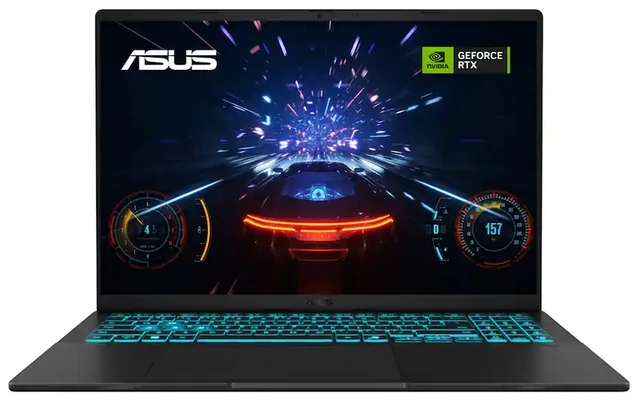
| Processor | Intel Core 5 210H |
| Graphics | Nvidia GeForce RTX 3050 Laptop GPU, 6GB |
| RAM | 8GB DDR5 |
| Storage | 512GB SSD |
| Display | 16-inch 1920 × 1200 IPS, 144Hz |
| Weight | 4.30 lb |
Pros
- Tall 144Hz screen
- 6GB of dedicated graphics memory
Cons
- Only 8GB of RAM installed
- Availability depends on your local store
The two memory slots give you an upgrade path if your games call for 16GB. You may also want to lower effects or use upscaling in heavier games at the screen’s native 1200p resolution. If you need a laptop shipped to you, see the HP Victus 15 with RTX 3050 6GB.
2. HP Victus 15 — Best RTX Option if You Need Delivery
The Mica Silver Victus 15 (15-fa2013dx) makes sense if you need delivery and want a dedicated GPU with 6GB of video memory. Its 1080p screen asks the GPU to render fewer pixels than the ASUS V16’s 1200p display at native resolution. We’d shop this exact configuration for 1080p gaming and adjust settings in newer, more demanding titles.
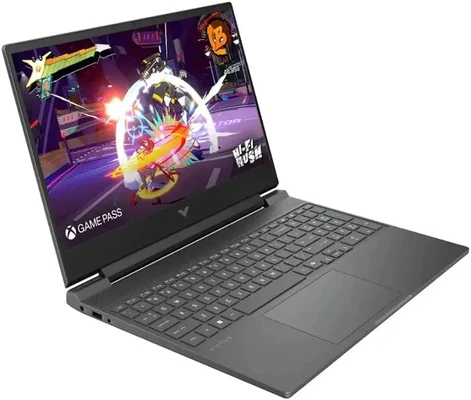
| Processor | Intel Core i5-13420H |
| Graphics | Nvidia GeForce RTX 3050 Laptop GPU, 6GB |
| RAM | 8GB DDR4 |
| Storage | 512GB SSD |
| Display | 15.6-inch 1920 × 1080 IPS, 144Hz |
| Weight | 5.06 lb |
Pros
- 6GB of dedicated graphics memory
- 1080p screen with a 144Hz refresh rate
Cons
- 8GB of RAM at close to the budget ceiling
- Over 5 lb before the charger
At this price there’s little room for a memory upgrade. Check your games’ recommended RAM and confirm the listing is set to new. If you’re buying for a desk and want to spend less, the Gigabyte G5 MD, our external-monitor pick, gives you more room in the budget and rear display outputs. Its GPU has 4GB of video memory, which can mean turning down textures sooner.
3. Gigabyte G5 MD — Best for an External-Monitor Setup
The Gigabyte G5 MD is the one we’d consider if it’ll spend most of its time at a desk. HDMI, Mini DisplayPort and Ethernet sit at the back, so the monitor and network cables can run straight behind the laptop. There’s room for more internal storage if you prefer to keep a larger game library installed.
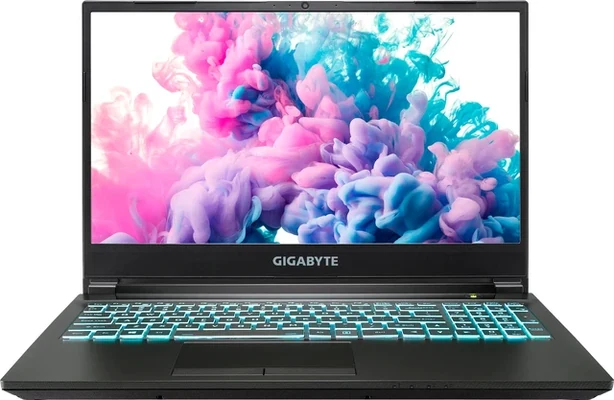
| Processor | Intel Core i5-11400H |
| Graphics | Nvidia GeForce RTX 3050 Ti Laptop GPU, 4GB |
| RAM | 8GB DDR4 |
| Storage | 512GB SSD |
| Display | 15.6-inch 1920 × 1080 IPS-level, 144Hz |
| Weight | About 4.5 lb |
Pros
- Rear display outputs and Ethernet
- Room for additional drives
Cons
- 4GB of video memory limits texture settings
- Older CPU and 8GB of RAM out of the box
Stick with 1080p as your starting point for demanding games, even if your monitor supports a higher resolution. If you tend to play on the built-in screen, the ASUS V16, our overall pick, offers a taller display and 6GB of graphics memory at about the same price when local pickup is available.
4. Lenovo LOQ Essential 15.3 — Best With 16GB Ready to Go
The Lenovo LOQ Essential 15.3 (83Y80000US) is a good fit if you want one laptop for work, school and gaming and prefer to start with 16GB of RAM. The 165Hz display gives you a taller workspace and a high refresh rate for lighter games. There’s also a second SSD slot for a growing game library.
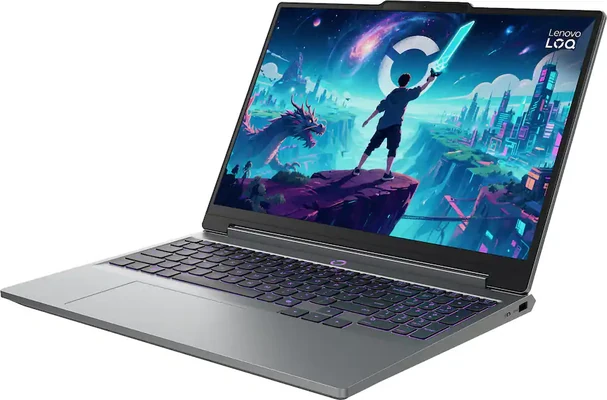
| Processor | Intel Core Ultra X7 358H |
| Graphics | Intel Arc B390 integrated graphics |
| RAM | 16GB LPDDR5X, onboard |
| Storage | 512GB SSD |
| Display | 15.3-inch 1920 × 1200 IPS, 165Hz |
| Weight | Starting at 4.6 lb |
Pros
- 16GB of RAM already installed
- 165Hz display and a second SSD slot
Cons
- Arc graphics share the fixed system memory
- Availability depends on your local store
Check how Arc B390 handles the games you play most. Its graphics share the same 16GB your games and apps use, and the memory is soldered. The ASUS V16 with RTX 3050 6GB makes more sense if dedicated video memory and the option to upgrade system RAM matter more to you.
5. NIMO N159 — Best Lower-Cost Option for Lighter Games
At around $550, the black NIMO N159 saves you money if you mainly play less demanding indie games and older titles. The Ryzen 7 7735HS includes Radeon 680M graphics, and the 15.6-inch screen gives you a full 1080p workspace for everyday use.
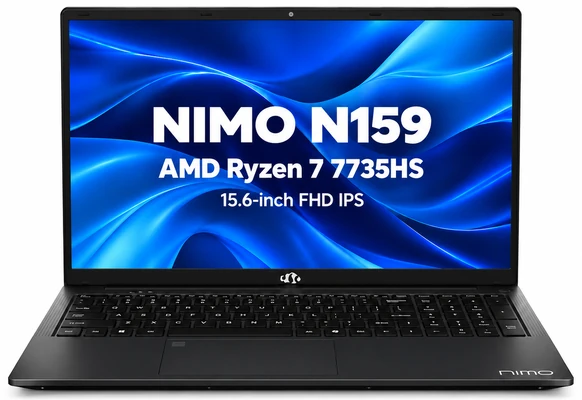
| Processor | AMD Ryzen 7 7735HS |
| Graphics | AMD Radeon 680M integrated graphics |
| RAM | 8GB DDR5 |
| Storage | 256GB SSD |
| Display | 15.6-inch 1920 × 1080, 60Hz |
| Weight | 3.8 lb |
Pros
- Leaves more of the budget for accessories
- 3.8 lb chassis and a 15.6-inch screen
Cons
- 8GB shared between Windows, games and graphics
- 256GB SSD and a 60Hz screen
Once Windows and a few large games are installed, 256GB can feel cramped. If you regularly play newer 3D games, spend the extra money on the ASUS V16, our overall pick, for dedicated graphics, twice the storage and a faster screen.
What to Look for in a Gaming Laptop Under $800
Start with the GPU. Compare the exact GPU and its video memory, then look at the settings you’re willing to use. If you find a new RTX 4050 or RTX 5050 laptop below $800, check its RAM, display and seller before buying. The same GPU can run differently across laptops because of power and cooling limits.
Budget for 16GB of RAM if your games need it. Check the recommended specifications for the games you play most. A laptop that ships with 8GB can still make sense when it costs less and you can upgrade it within budget. With integrated graphics, the GPU and the rest of the system share the installed RAM.
Match the screen and storage to your games. A 144Hz or 165Hz display can show smoother motion when the game runs at a high enough frame rate. Check install sizes for the games you keep on hand. If you plan to add an SSD later, confirm the laptop has a spare slot or that you can replace the original drive.
Frequently Asked Questions
What games can you play on a gaming laptop under $800?
It depends on the GPU and the game. An RTX 3050 build is the place we’d start for more demanding 3D games at 1080p with adjusted settings. For casual and older games, the Radeon 680M option can save you money. Compare your games’ recommended specifications with the exact GPU and installed memory before ordering.
Is 512GB enough for a gaming laptop?
512GB is a reasonable starting point if you play a handful of games and rotate the ones you keep installed. If you play several large games at once, check their install sizes and consider a model with a second SSD slot.
When should you spend more on a gaming laptop?
Compare the best gaming laptops under $1,000 if your games could use more graphics headroom or if you’re already close to $800 and would need to buy more memory. Compare complete configurations and current prices to see what the extra money buys.

Hi
I love video games (especially indie ones) and I hope to become a game dev one day. Which of these laptops would be best for not only gaming, but game development? I also need a good laptop that I can draw with. Thank you!
Hi,
You can get any of these machines they all are capable for gaming. If you want me to pick one, then my pick is the MSI GV62 8RD 15-inch Gaming Laptop. For drawing you can get the graphics tablet which you can hook up to the laptop.
Hey mike,
What do you think about ASUS Vivobook k570ud (i5-8250/GTX 1050) for gaming purposes in general and a bit of all-round use.
Thank you in advance.
Hi Milad,
If you’re looking for a gaming laptop, then I would say there are a lot of other laptops that are more powerful than this one and cost way less. I am pointing at the MSI GV62 8RD which is our top pick in the $800 price-range right now. It has i5-8300H which is way better for gaming than the i5-8250U on the ASUS VivoBook. Also, it comes with more powerful GTX 1050 Ti GPU. If you’re planning to spend around $1000, then Acer Predator Helios 300 is clearly the best pick. You get six-core Intel Core i7 processor, GTX 1060 GPU and an excellent 144Hz 15-inch display.
I need a new laptop to run Runescape on high quality, as well as playing games on Steam. best suggestion?
Hi Lio,
I would recommend you to get the Dell G3 15-inch gaming laptop. It offers latest and powerful specs which can run all the new games at decent fps.
Hello, I’m looking to get my son a laptop for using with the oculus rift as well being able to use for school. I’m am going back and forth between the acre nitro and the dell Inspiron. Any suggestions and advice would be greatly appreciated.
Hi,
Make sure to buy the laptop with GTX 1050 Ti or higher as GTX 1050 doesn’t support the VR and you’ll find a lot of budget laptops in sub-$800 category that comes with GTX 1050. I would prefer the Dell Inspiron 7567 because it has a slightly better display than Acer Nitro.
i need a laptop that can run tera online, do you think the ASUS TUF can run it
Yes, it will be able to run with graphics settings set to medium.
Which would be best for like adobe photoshop and games like gta 5 and csgo?
Hi,
I would recommend you to buy the Dell Inspiron 15 7567 laptop. It offers best specs for gaming and it also has IPS display with decent color coverage for editing photos.
I am looking for a computer that my son can learn you code on, can he do that on all of these?
Hi,
Yes these laptops are capable enough to handle all sorts of programming. We also have a dedicated guide on laptops for programming. You will find better options there in different price ranges.
Hey which of these would be best for playing games like Warframe, League of Legends, Fortnite, and Skyrim.
Hi,
I would recommend you to buy the Dell Inspiron 15 7567. It has the best GPU (GTX 1050 Ti) you can get in sub-$800 gaming laptops so certainly it will be best choice for gaming.
Which one of these is THE ABSOLUTE BEST for gaming? Like which can handle the most games?
Hi, get the Dell Inspiron 15 7567 laptop. It has quad-core i5 processor and best in segment Nvidia GeForce GTX 1050 Ti GPU. It is the best configured laptop in $800 price range which can run most of the new games at medium graphics settings.
Hey I want a laptop for gaming but not super heavy or bulky. I like the Asus M580VD because of the looks etc but I really like the power of the Inspiron i5577. I’m trying to mostly play fortnite but I would like to be able to play other games with ease. Which one should I get?
Hi Christian,
I would recommend you to buy the Dell Inspiron i5577 for yourself because of its powerful hardware and as far as weight is concerned I think 5.6 lbs is still very good for such powerful machine.
Great handy guide for gamers on a budget. Do you think an acer swift 3 with a 7th generation i5 processor run these games well? Would fallout 4 be playable at 30ish FPS??
Yes, the Acer Swift 3 (listed above) with 8th Generation i5 processor and Nvidia GeForce MX150 graphics will be able to run Fallout 4 at around 30FPS.
Hey I was wondering if there’s a big difference between the inspiron and the asus fx550iu? I’ve had an asus n series for 7 years so I feel kinda loyal to asus but I don’t know about amd vs i5 and nvdia (which my asus nseries had).
Hi Fernando,
Undoubtedly, the ASUS FX550IU is an excellent gaming laptop and it has AMD hardware which goes head to head with Intel in terms of performance. Still, if you want Intel powered ASUS gaming laptop then you can check out – ASUS FX503VD Gaming Laptop which has Intel Core i5-7300HQ processor and Nvidia GeForce GTX 1050 GPU.
Hi Mike,
Which one would be good for high processing applications like Android studio,Matlab or for machine learning softwares?
Hi Advait,
The Acer Nitro 5 is the most powerful laptop in $800 price range. So, definitely, it will be best for running all intensive software applications.
Hey i was wondering what’s the best laptop here for video editing with premiere pro cc 2017 and playing csgo? I was thinking the nitro.. any opinions?
Hi Mark,
Yes, I would recommend you to go with Acer Nitro 5 as well. It has the most powerful GPU than all other laptops listed here so definitely it will be better for gaming and video editing. Just for the heads up, we have a separate guide on video editing laptops if you want to check out.
Which is best for playing Total War Warhammer 2? My son also wants to play TABS (Totally Accurate Battle Simulator).
Do I need to spend $650-$800 on a laptop for him to play these games? Or might a less expensive laptop be perfectly good?
Thank you!
Hi,
You can buy the Acer Aspire E15 laptop for $600 (mentioned in this guide) and it will be able to run most of the new games fine at medium to low graphics settings. But, if you want to play games at higher settings then you can buy the Dell Inspiron i5577.
What is best for wow (world of warcraft)? I only game on it. No school or pics, I have another computer for everything else.
Hi Libby,
I would recommend you to buy the Dell Inspiron i5577 Gaming Laptop for yourself. It has powerful Intel Core i5 quad-core processor, 8GB of RAM and Nvidia GeForce GTX 1050 graphics. This laptop will be able to run wow without any kind of lag and even you can play the newer games on this laptop. If you can spend some more bucks, then the same laptop with i7 quad-core processor is on sale right now at Amazon.
which can you run cs:go on better?!?
Get the DELL Inspiron i5577 Laptop. It will be best for playing CS:GO.
hi. Which one of these three laptops is better for game?
acer nitro 5
lenovo y 520
dell inspiron 15 7000
asus m580vd eb54
and all of the Specifications are the same all of them have gtx 1050 and i5 7300hq and 8gb ram
thank u
Get ASUS M580VD, if you want a professional looking gaming laptop or else get Acer Nitro 5. These two laptops have better displays than other two you mentioned.